A personalized note barely changes whether someone accepts your LinkedIn connection request. Belkins’ 2025 analysis of more than 20 million outreach attempts run through Expandi, a LinkedIn automation competitor, found a 26.42% acceptance rate with a note versus 26.37% without, a rounding error. The note does change what happens after: replies jump from 5.44% to 9.36%, a 72% lift, once the connection goes through.
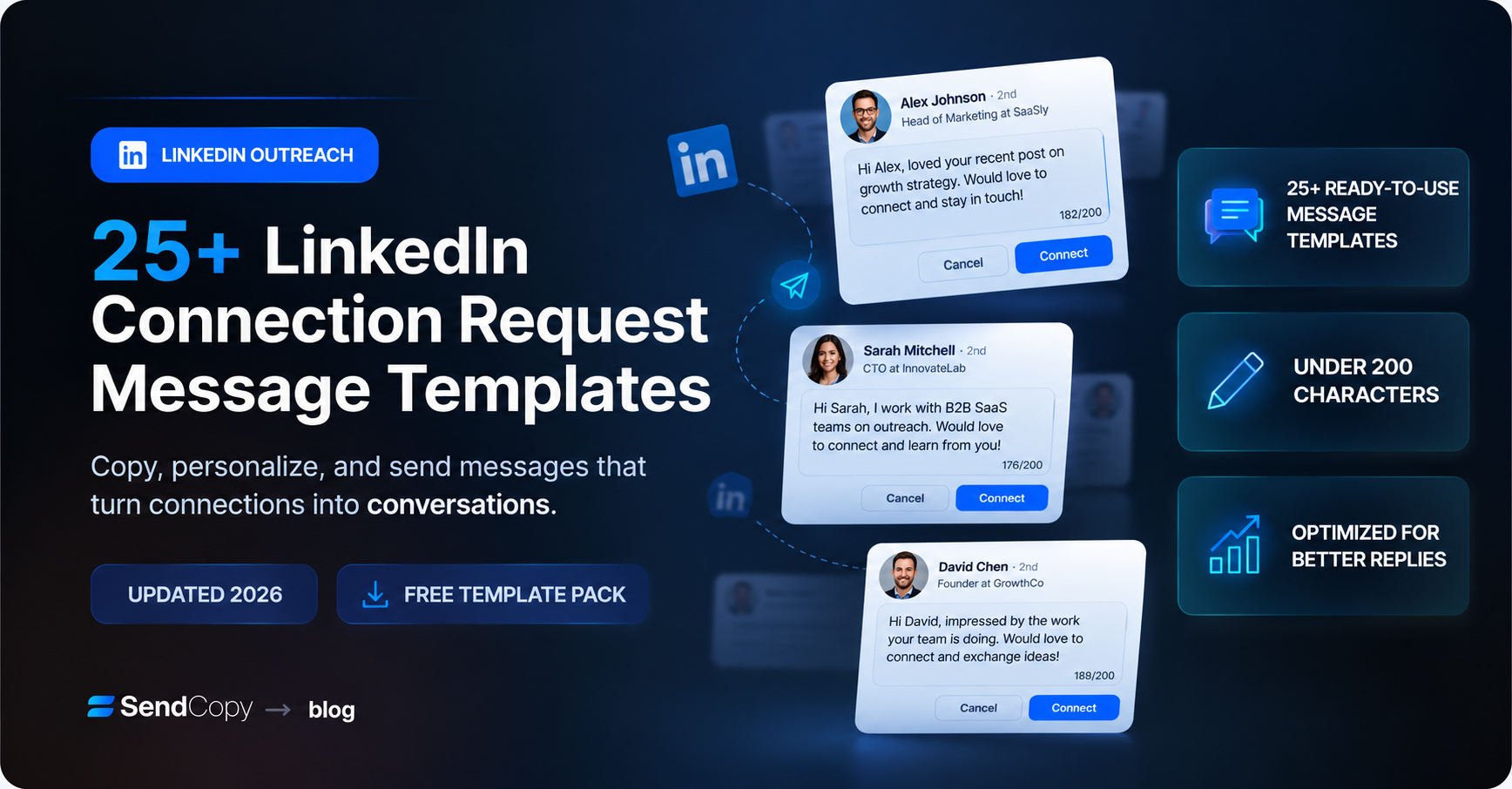
That single fact should change how you write a LinkedIn connection request message template. Below are 25+ templates organized by who you’re reaching, plus a free downloadable pack you can copy straight into your outreach
Table of Contents
Do LinkedIn connection request messages actually matter?
The short answer: less for getting accepted, a lot for what happens next.
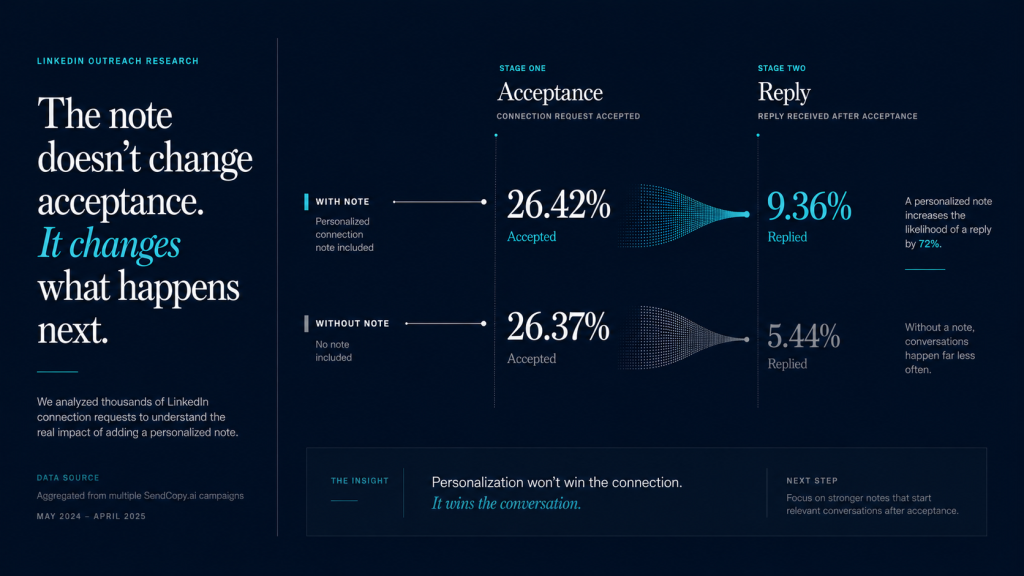
Belkins’ study, which covered outreach run through Expandi’s platform, found acceptance rates statistically flat whether a note was attached or not. Yuriy Boyko, Belkins’ head of account management, has said a short, relevant note matters most when the goal is starting a conversation, not just growing a network.
If you’re building a network broadly, a blank request works fine. If you’re trying to book a meeting, the note is doing real work, just not the work most people assume: it’s not earning the “Accept” click, it’s setting up the first real reply.
Separately, Expandi’s own State of LinkedIn Outreach report, based on more than 70,000 campaigns, put the average LinkedIn connection request acceptance rate at 29.61% platform-wide. Expandi’s own benchmarking guide treats sub-20% acceptance as a red flag for targeting or profile issues, and anything above 45% as strong. These are platform-wide averages: industry, seniority, and region all shift them meaningfully, so treat these numbers as a baseline, not a universal target.
The practical takeaway for a LinkedIn connection request message template: stop optimizing the note for acceptance. Optimize it for the reply that comes after.
LinkedIn connection request character limit and how to add a note
LinkedIn caps the personalized note on a connection request at 200 characters, across free, Premium, Sales Navigator, and Recruiter accounts.
This guide assumes manual, one-at-a-time sending. With an automation tool, its account-safety settings, not just the character limit, determine whether your note goes through as written.
There’s a separate restriction that trips up more people: free accounts get a limited number of personalized invitations per month, widely observed to be around five, based on independent tracking rather than an official LinkedIn figure. Once that allowance runs out, requests still send, just without a note. Premium, Sales Navigator, and Recruiter accounts don’t have this cap.
Here’s how to add a note on desktop:
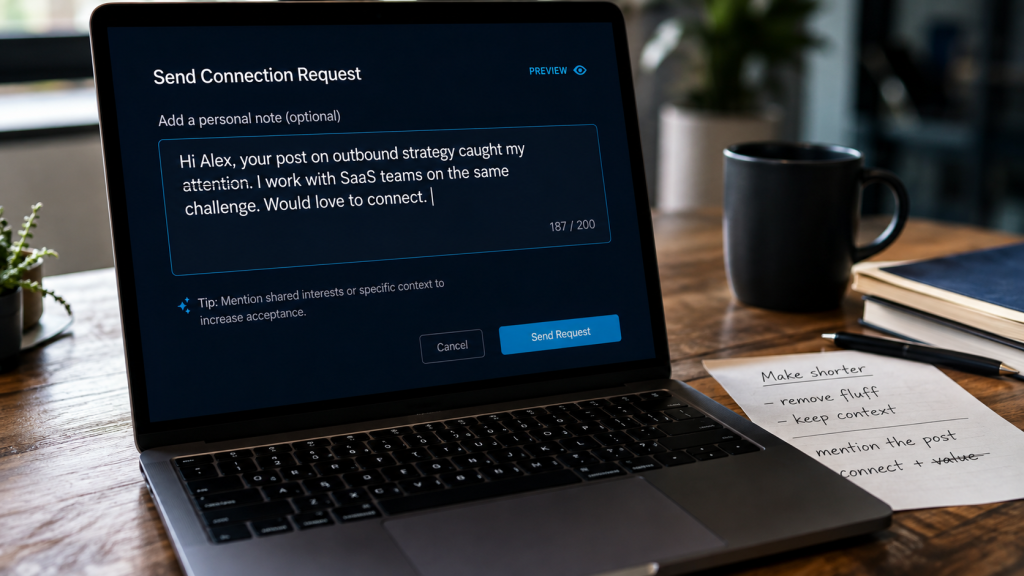
- Go to the person’s profile and click Connect.
- Click Add a note instead of sending immediately.
- Write your message, watching the character counter.
- Click Send once you’re under 200 characters.
On mobile, tap the three-dot menu on a profile, select Connect, then add a note before sending one tap deeper than desktop.
Sending a blank request still beats waiting a month for time-sensitive relevance, like a job change or a shared event. Automation tools fail quietly here too: a tool that isn’t tracking your monthly allowance keeps sending after it runs out, just without the note, so a campaign that looks personalized in your dashboard can quietly be sending blank invites for weeks.
What makes a connection request get accepted (and the mistakes that kill it)
A blank connection request vs personalized note isn’t really a fair fight, they’re built for different goals, and the data above already settles which one to reach for. What actually drives acceptance comes down to three things: who you’re asking, what your profile shows them, and how much your note asks for.
Your profile does the pre-qualifying: Most people glance at your headline and photo before accepting. A vague headline like “Sales Professional” or a cropped group photo gives someone a reason to hesitate.
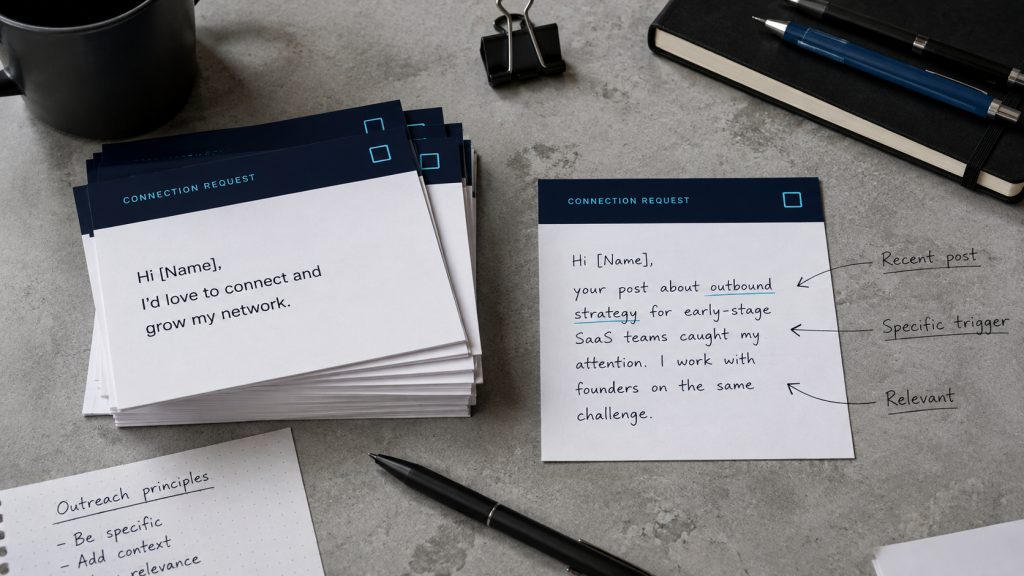
Relevance beats politeness: “I’d love to connect and grow my network” describes everyone who has ever sent a LinkedIn invite. A note that references something specific, a post, a shared group, a role change, proves you looked at their profile.
Asking for too much too soon kills replies, not acceptances: A note or first message that pitches a demo or a “quick 15 minutes” before any real conversation reads as a form letter with a name inserted. It might still get accepted. It rarely gets a reply.
Volume and personalization work against each other: A week of identical, blasted notes is efficient and produces a low reply rate. A week of fewer, more specific notes is slower to write and produces a higher one, the entire logic behind writing sharper requests instead of more generic ones.
25+ LinkedIn connection request message templates
Every template below fits inside LinkedIn’s 200-character note limit. These LinkedIn connection message examples are grouped by who you’re reaching, so scan to your situation. Swap in specifics before sending, a template with a blank [detail] left unfilled defeats the point.
One caveat: these are written for a human pace. LinkedIn restricts accounts that spike activity suddenly, not just accounts sending generic notes, so pasting fifteen of these into a fresh account in one sitting carries its own risk.
For sales and SDRs (5 templates)
What counts as the best LinkedIn connection request message for sales isn’t the cleverest line, it’s the one tied to a real, verifiable reason you’re reaching out.
Hi [Name], I noticed [Company] just [expanded into a new market / hired for a new team / launched a product]. I work with teams on [relevant problem] and would like to connect.
Works when you have a real trigger event to point to. Skip it if you don’t; a vague version is worse than no note.
Hi [Name], your post on [specific topic] matched something I’ve been thinking about with [related challenge]. Connecting so I can keep following what your team is building.
Best for warming up an active poster before any direct pitch.
Hi [Name], we work with a lot of [job title]s at [industry] companies on [specific outcome]. Curious how [Company] is approaching that right now. Open to connecting?
A direct, industry-anchored opener when you have no personal trigger yet.
Hi [Name], saw you’re leading [function] at [Company]. I’ve spoken with a few peers in similar roles about [problem], and would like to stay in touch.
Useful for account-based outreach across several stakeholders at one target company.
Hi [Name], congrats on the [promotion / new role] at [Company]. Would like to connect as you settle in.
Low-pressure and timely for a decision-maker who just moved into a role.
For recruiters sourcing candidates (4 templates)
Hi [Name], I came across your background in [skill/technology] and I’m working on a role at [Company] that looks like a strong match. Would you be open to connecting?
Standard sourcing opener; naming the skill signals you read the profile.
Hi [Name], your experience with [specific project or achievement] stood out. I recruit for [industry] teams and would like to add you to my network.
A genuine compliment tied to something concrete, not flattery.
Hi [Name], I’m building out a bench of [role type] professionals for a few clients in [industry]. Your background caught my eye. Open to connecting?
For pipeline-building, not one specific role.
Hi [Name], we haven’t worked together, but I recruit in the [industry] space and try to stay connected with strong [role] talent. No pitch, just building the network.
Low-pressure framing for passive candidates a hard pitch would put off.
LinkedIn connection message examples for job seekers reaching out to a recruiter (4 templates)
This is the angle most guides skip: you’re the one applying, not hiring. The note has one job, to get a recruiter or hiring manager to remember your name when your application lands. Every LinkedIn connection message example for job seekers below is written from that position, reaching out first.
Hi [Name], I just applied for the [Job Title] role at [Company] and wanted to connect directly. My background in [relevant experience] lines up closely with what the posting describes.
Send this right after you submit, not days later; name the exact job title.
Hi [Name], I’m exploring [role type] opportunities in [industry] and admire the work [Company] is doing on [specific project or product]. Would appreciate connecting.
Use before a role opens to get on a recruiter’s radar early.
Hi [Name], we don’t know each other yet, but I saw you recruit for [team/function] at [Company]. I have [X years] in [relevant area] and would love to learn more about what the team looks for.
A cold-outreach version for a recruiter with no open role yet.
Hi [Name], thanks for posting about the [Job Title] opening. I’ve attached my resume to my application and wanted to introduce myself directly here as well.
Reinforces an application on a posting that mentions high volume.
For founders and agency owners (4 templates)
Hi [Name], I’ve followed [Company]’s growth and think there could be a good fit between what we do at [your company] and what you’re building. Open to connecting?
A general founder-to-founder opener, no specific trigger yet.
Hi [Name], saw your post about [specific challenge, e.g. scaling outbound]. We’ve helped a few companies in a similar spot with [specific approach]. Would like to connect.
Ties to something the founder said publicly, easing the follow-up.
Hi [Name], we work with agencies like [Company] on [specific service], and I’d like to stay in touch as you grow the team.
Positions you as a peer resource, not a vendor pitching cold.
Hi [Name], noticed [Company] recently [raised funding / launched a new offer / hit a milestone]. Congrats. Connecting to follow along.
A trigger-based note with zero ask, good for early visibility.
Short message for LinkedIn connection: under 100 characters (4 templates)
Hi [Name], enjoyed your recent post on [topic]. Connecting.
62 characters. Works when the person posts often and gets generic invites.
Hi [Name], fellow [shared interest/group member]. Would like to connect.
68 characters. Built for shared context: alumni, past employers, communities.
Hi [Name], following your work at [Company]. Connecting.
53 characters. A minimal opener with no ask attached.
Hi [Name], great meeting you at [event]. Let’s stay connected.
62 characters. Post-event follow-up where context is already shared.
Trigger-based: after a post, event, or job change (6 templates)
Hi [Name], your take on [specific post topic] was the most useful thing I read on the topic this week. Connecting.
Anchors to a specific piece of content, not a vague “great post.”
Hi [Name], great meeting you at [event name]. Wanted to continue the conversation about [specific topic discussed].
Send within a day or two, while the context is still fresh.
Hi [Name], congrats on the move to [new company/role]. Would like to stay connected as you get settled in.
The timing itself is the relevance; no other personalization needed.
Hi [Name], saw [Company] just announced [funding round/product launch/expansion]. Exciting stage to be at. Connecting.
A company-level trigger, useful for reaching several people at one account.
Hi [Name], you commented on [mutual connection]’s post about [topic] and I thought your point on [specific detail] was sharp. Connecting.
A less common trigger: their comment, not their own post.
Hi [Name], noticed you just passed [certification/milestone, e.g. a work anniversary or new certification]. Well earned. Connecting to stay in touch.
Good for lower-stakes, relationship-building outreach.
For better results, consider using trigger-based prospecting to identify opportunities such as job changes, funding events, and recent LinkedIn activity before reaching out.
What to say after your connection request is accepted
Thanks message for LinkedIn connection acceptance
Most guides treat the thank-you message as an afterthought. But it’s the first message someone reads after they’ve chosen to accept you. Compare “Thanks for connecting!” to something that references why you reached out, one restates a formality, the other continues a conversation already started.
Thanks for connecting, [Name]. I’ll keep an eye out for updates from [Company], and happy to share anything useful on [relevant topic] if it’s ever helpful.
No ask, just a low-pressure signal you’re paying attention.
Appreciate you connecting, [Name]. Curious how [specific initiative you referenced in your note] is going, if you’re open to sharing.
Continues the thread from your original note instead of starting cold.
Thanks for accepting, [Name]. I know inboxes get busy, so no pressure to reply, just wanted to say I’m glad we’re connected.
Useful for senior or high-volume profiles where a soft touch works best.
LinkedIn first message after connecting, by scenario
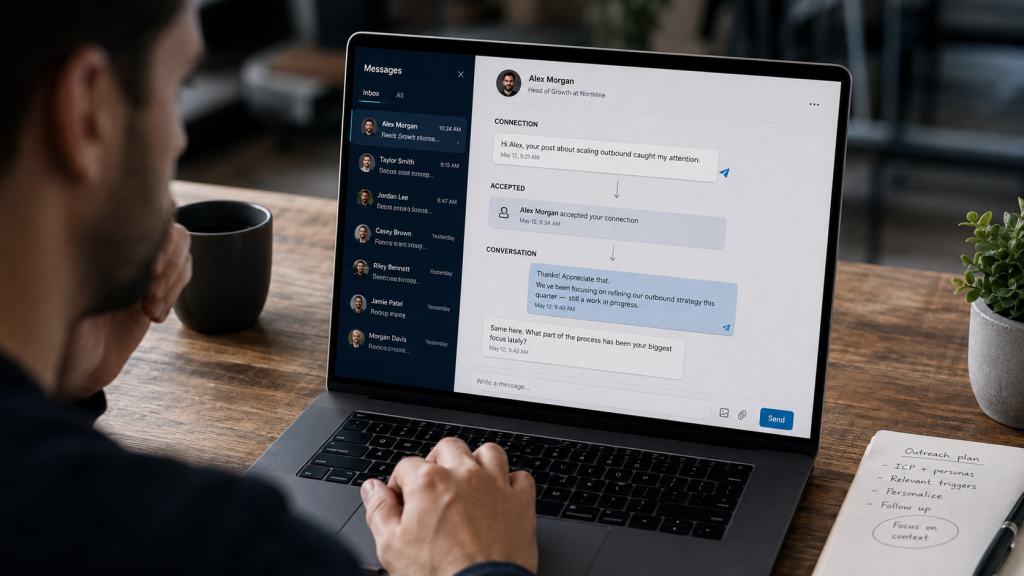
After a trigger-based connection: Reference the trigger again briefly, then ask one specific, low-effort question. Avoid pitching anything in this message.
After a sales-focused connection: Wait a day or two, then share one relevant insight before asking for time. Leading with a calendar link here tends to be the fastest way to turn a warm accept into silence.
After a recruiter-to-candidate connection: Be direct about the opportunity in the first message. A slow warm-up reads as evasive when the reason for connecting is already obvious.
After a job-seeker-to-recruiter connection: Keep it brief: restate interest, add one detail not in your resume, and ask if there’s anything else useful to share. Long follow-ups here tend to go unread.
Free LinkedIn connection request template (download)
Want a LinkedIn connection request message template free download you can keep on hand? Every template above is also packaged as a free LinkedIn connection request message template Word document, organized by section: sales and SDR, recruiter, job-seeker, founder and agency, short-form, and trigger-based templates, all in one file.
Download the free template pack – enter your name and email
FAQ
What is a good LinkedIn connection message?
A good LinkedIn connection message is short, references something specific about the recipient, and asks for nothing beyond the connection. Belkins’ data shows personalization barely affects acceptance but nearly doubles reply rate, so the note earns its value after the accept.
Is it better to send a connection request with or without a note?
Depends on your goal. Per Belkins’ 2025 study of 20 million-plus outreach attempts, a blank request performs about the same as a personalized one on acceptance, but a relevant note nearly doubles your reply odds once someone accepts.
What’s the LinkedIn connection request character limit?
Per LinkedIn’s own Help Center, the personalized note is capped at 200 characters across free and paid tiers. Free accounts also get a limited number of personalized invites per month, widely observed to be around five, after which requests are sent without a note.
How do I write a LinkedIn connection request message to a recruiter?
Reference the specific role or team, mention one concrete piece of relevant experience, and keep it under a few sentences. The best LinkedIn connection request message to recruiter contacts gets straight to the point. If you’ve already applied, say so instead of repeating your resume.
What should I say as my first message after connecting?
Match the tone to how the connection started. If trigger-based, reference the trigger and ask one question. If sales, share something useful before asking for time. Leading with a pitch or calendar link right after accepting is the fastest way to lose the reply.
Where this fits with how you actually send these
Writing one good note doesn’t take long. Writing that many, every week, doesn’t scale by typing faster. It scales by having a system that knows which trigger, role, and template fit each person, without turning every message into a copy-paste job. That’s the problem SendCopy is built around: relevance at volume, not volume that happens to include a first name field.
If you’re sending enough LinkedIn outreach that keeping notes personalized is starting to feel like the bottleneck, see how SendCopy handles it.