“Is Dripify safe” is one of the most common searches around this tool, and the honest answer isn’t a yes or no. Dripify’s cloud architecture is genuinely safer than a browser-extension tool, but no LinkedIn automation tool, Dripify included, is explicitly permitted by LinkedIn’s own policies. Here’s what that means in practice, what actually determines whether an account gets restricted, and how to answer “is Dripify safe” for your specific situation rather than as a blanket yes or no.
Table of Contents
How Dripify’s Cloud Architecture Works
Dripify runs as a cloud-based tool: campaigns execute on Dripify’s servers rather than through a browser extension installed on your machine. That’s a genuine safety advantage over extension-based tools. No injected script runs inside your authenticated LinkedIn session for the platform’s detection systems to fingerprint, and there’s no dependency on your laptop staying open and connected while a sequence runs.
That architecture puts Dripify in the same category as HeyReach, Expandi, We-Connect, and SendCopy: each vendor’s own product pages describe server-side execution rather than browser-based automation. It’s a meaningfully different risk profile than Chrome-extension tools like Lemlist’s LinkedIn steps or Octopus CRM, which inject automation directly into an active browser session.
What LinkedIn’s Policy Actually Says
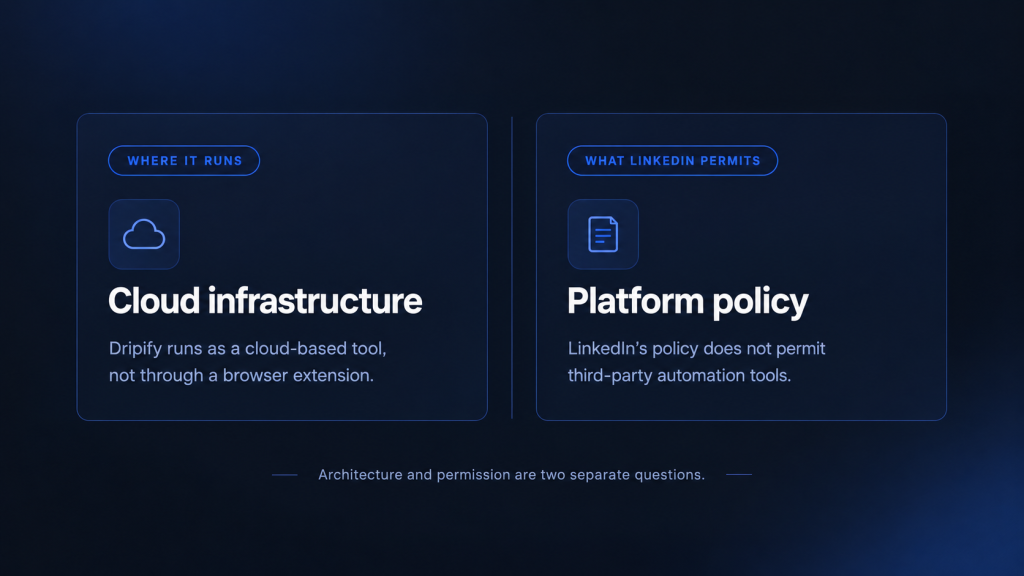
Cloud execution is not the same as LinkedIn approval. LinkedIn’s Prohibited Software policy states plainly that it does not permit third-party software, including crawlers, bots, or browser plug-ins, that automates activity on LinkedIn’s website, and that accounts found in violation risk restriction or suspension, according to LinkedIn’s Help Center. That prohibition applies to the entire category of LinkedIn automation tools, cloud-based or not. It’s a platform-level policy, not a tool-specific one, and no vendor’s marketing claims about safety change what LinkedIn’s User Agreement actually permits.
So is Dripify safe? Safer than an extension, yes. Officially sanctioned, no, and neither is anything else in this category.
See how SendCopy’s Auto-Rotate Senders and Account Protection are built around these exact safety principles.
What Actually Gets Accounts Restricted
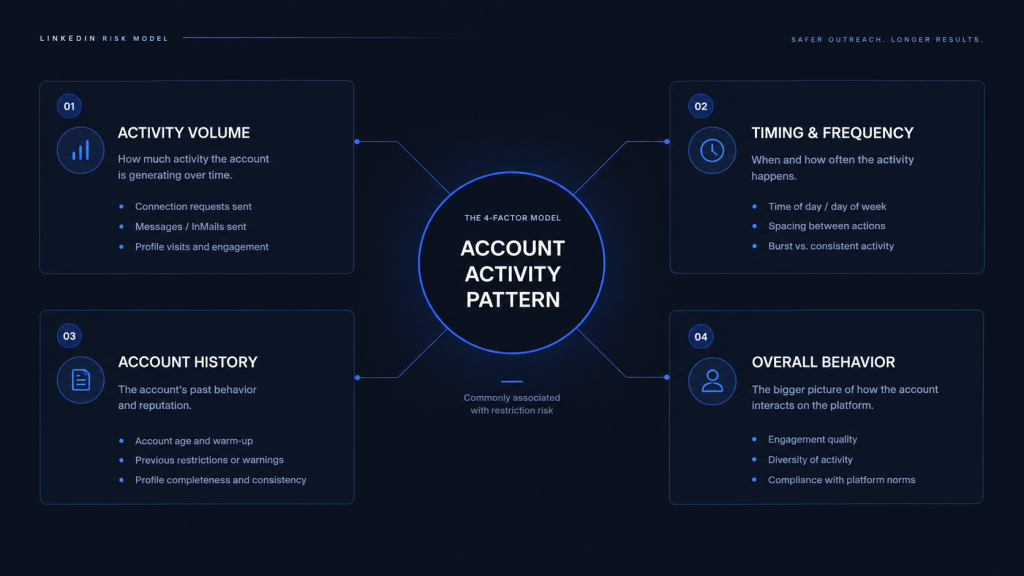
For the general causes behind LinkedIn restrictions, see Why LinkedIn Accounts Get Banned & How to Avoid It in 2026. Within that category, what actually reduces risk is behavioral, not architectural. Automation vendors and outreach practitioners commonly describe LinkedIn’s detection signals as including timing patterns, session consistency, daily action volume, and how closely activity resembles natural human browsing, rather than simply whether automation is present. LinkedIn itself doesn’t publish its detection methodology, so treat this as informed industry consensus, not a confirmed technical spec. A cloud tool running at an aggressive daily volume from a brand-new account is a bigger red flag than a well-configured tool running conservative, human-paced activity.
LinkedIn does not publish specific daily connection-request limits, so treat any tool’s claimed “safe” daily number, including Dripify’s, as an estimate rather than an official ceiling. The controls that matter are gradual account warm-up, conservative daily caps, and dedicated IP infrastructure, not shared or rotating IPs across unrelated accounts.
Your Account Type Changes What “Safe” Even Means
One nuance most Dripify safety content skips entirely: your account type changes what “normal” looks like to LinkedIn. Outreach practitioners commonly report that a Basic (free) account, a Premium account, and an account with Sales Navigator attached don’t operate under the same visible limits or the same relationship-request ceiling. However, LinkedIn doesn’t publish official figures by account type to confirm exact thresholds. See the LinkedIn account-type breakdown →
A daily-volume setting that reads as conservative on a Sales Navigator account can look aggressive on a Basic account with a thinner connection history. Any tool’s default automation settings, Dripify’s included, are a generic starting point, not a number calibrated to your specific account’s age, activity history, or account type.
How to Lower LinkedIn Ban Risk, Regardless of Which Tool You Use
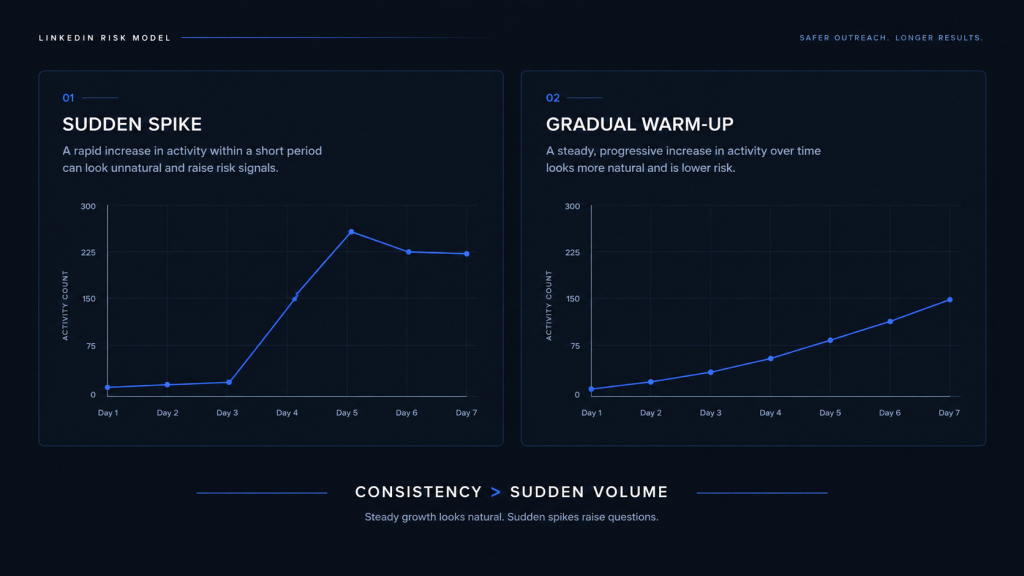
- Warm up new accounts gradually. Start well below any tool’s suggested daily maximum for the first two to three weeks, and increase slowly as the account builds a normal-looking activity history. Several vendor safety guides suggest a rough ramp of starting at roughly 20-30% of the tool’s default daily limit in week one, moving to 50-60% by week three, and reaching full volume only after that, though exact numbers vary by vendor.
- Keep daily volume conservative. Aggressive daily connection or message volume is one of the clearest behavioral signals outreach practitioners associate with restrictions, regardless of which tool sends it.
- Use dedicated IP infrastructure where available. Shared or rotating IPs across unrelated accounts create patterns that are easier to flag than a consistent, dedicated IP per account.
- Never run two automation tools on the same account at once. Overlapping automated activity from two separate tools increases the behavioral inconsistency LinkedIn’s systems are widely understood to watch for.
- Match your daily settings to your actual account type and history, not a generic default, since Basic, Premium, and Sales Navigator accounts don’t carry the same real-world ceiling.
- Watch for early warning signs before a full restriction. A CAPTCHA prompt or an “unusual activity” verification challenge on an automated account is typically an earlier, softer signal than a restriction notice. Treat it as a cue to pause and cut volume, not something to click through and ignore.
- Revisit your settings periodically. LinkedIn has changed its connection and invitation limits before without public announcement, so a daily number that was safe a year ago isn’t guaranteed to be safe now. Don’t set a daily limit once and leave it unchanged indefinitely.
Tired of tracking all of this manually? SendCopy handles warm-up pacing and daily limits automatically.
Is Dripify Safer Than Extension-Based Alternatives?
Architecturally, yes, relative to Chrome-extension tools. Dripify’s cloud execution removes the injected-script fingerprint that extension-based tools like Lemlist’s LinkedIn steps or Octopus CRM carry. But architecture is only part of the risk picture: a cloud tool run aggressively is riskier in practice than an extension tool run conservatively. If safety is your top priority in choosing a tool, weigh execution architecture and configurable daily limits together, not architecture alone. See how nine Dripify alternatives compare on safety architecture, including which ones offer dedicated per-account IPs by default.
Frequently Asked Questions About Dripify Safety
Is Dripify safe to use?
Dripify’s cloud architecture is safer than browser-extension tools, but it still falls under LinkedIn’s Prohibited Software policy like every third-party LinkedIn automation tool. No such tool is officially sanctioned by LinkedIn.
Can Dripify get my LinkedIn account banned?
Any automation tool, including Dripify, carries some risk under LinkedIn’s policy. Risk in practice depends mostly on daily activity volume and account warm-up, not the tool itself.
Is Dripify safer than Chrome extension tools like Octopus CRM?
Architecturally, yes. Cloud-based execution avoids the injected-script fingerprint that browser extensions carry, though it doesn’t eliminate risk. See our Dripify alternatives guide for how nine other tools compare on this exact tradeoff.
How many connection requests per day is safe on Dripify?
LinkedIn doesn’t publish an official daily limit, and the safe number varies by account type and account age. Treat any tool’s suggested daily maximum as a starting estimate, and warm up gradually rather than running at full volume immediately.
Does LinkedIn officially allow automation tools like Dripify?
No. LinkedIn’s Prohibited Software policy explicitly bars third-party software that automates activity on the platform, regardless of which vendor built it.
Is it safer to use Dripify with a Sales Navigator account?
Outreach practitioners commonly report that Sales Navigator and Premium accounts have more activity headroom than a Basic account, though LinkedIn doesn’t publish official limits by account type to confirm this. The safe ceiling still depends heavily on account age and history, not the subscription tier alone.
Looking for a cloud-based tool built around account safety from the start? SendCopy’s Auto-Rotate Senders and LinkedIn Account Protection are designed around exactly the warm-up and daily-limit principles covered above. Start a free trial or book a demo to see the safety controls in action.