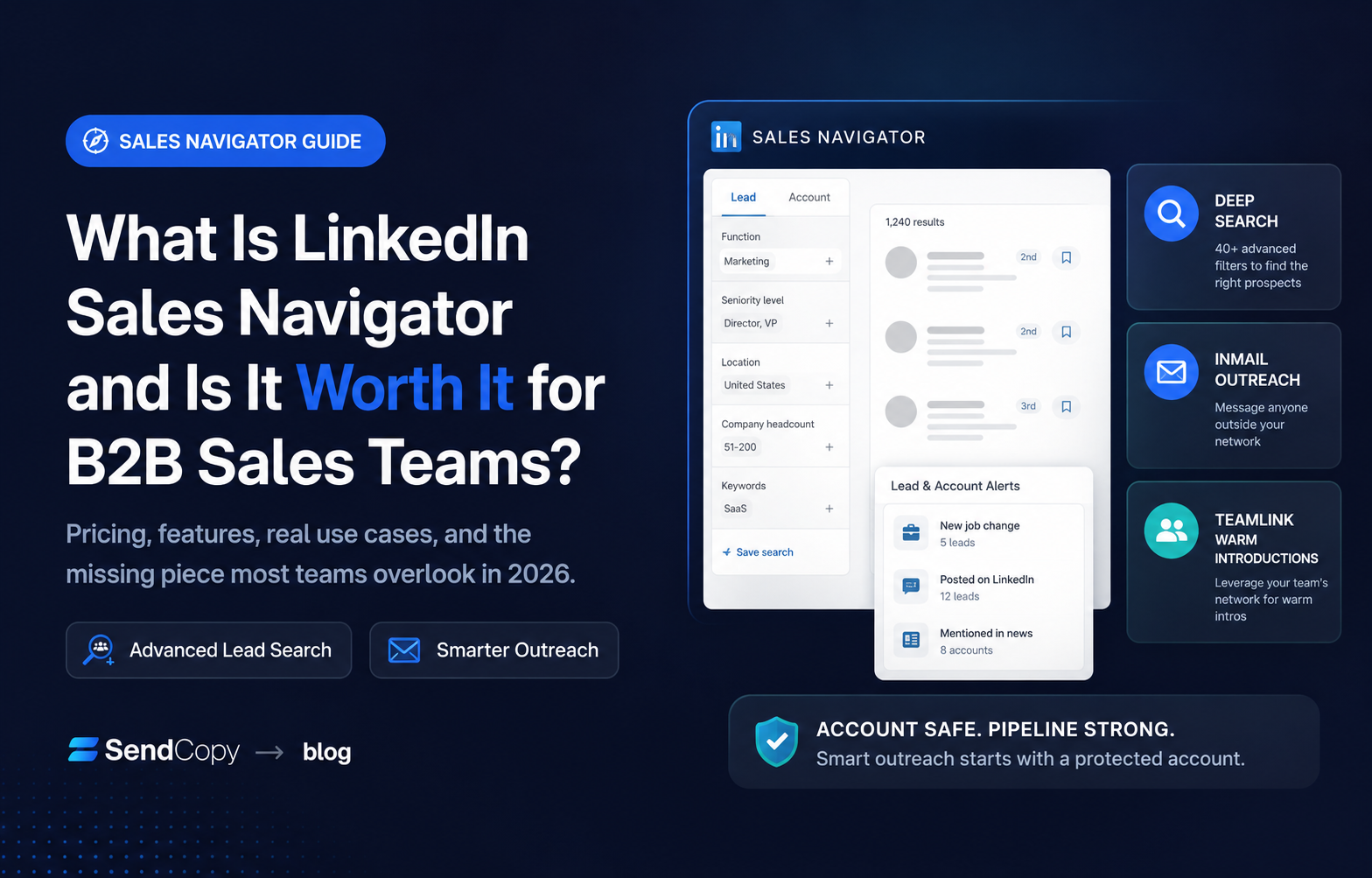
A sales leader on your team probably asked this question last quarter: Should we pay for Sales Navigator, or is a free LinkedIn search good enough? It’s a fair question. Sales Navigator now starts at $119.99 per seat per month, and the answer depends on team size, deal value, and what “worth it” means for your pipeline.
This guide breaks down what Sales Navigator does, what it costs in 2026, where it beats free LinkedIn, and where it quietly falls short. By the end, you’ll know whether it earns a line item in your sales stack, and what to pair it with if you do buy it.
Table of Contents
What Does Sales Navigator Actually Do?
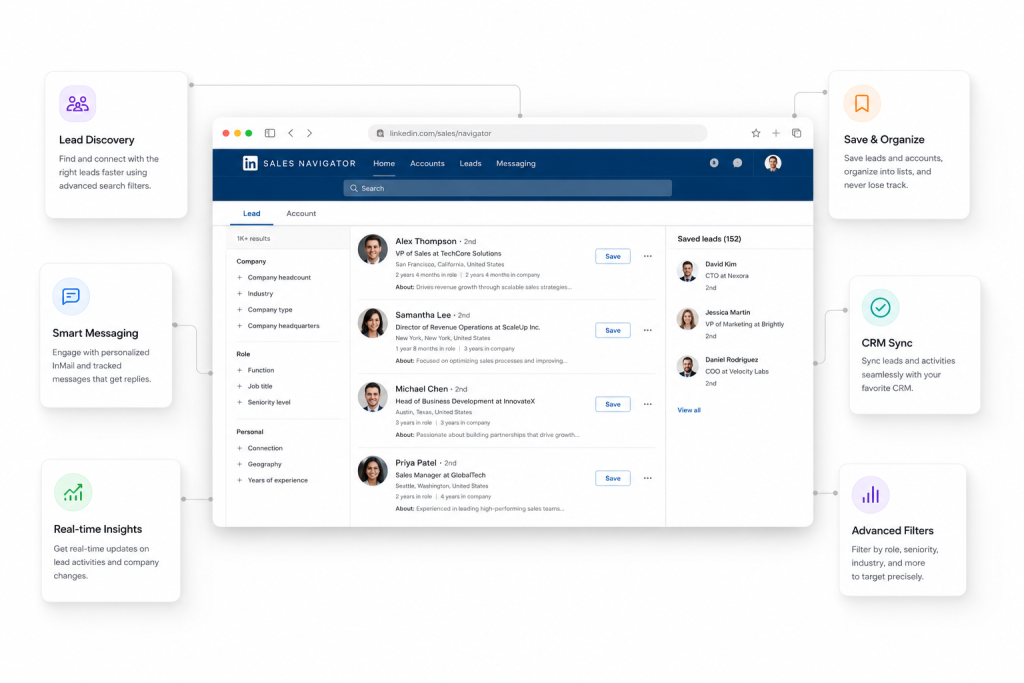
Sales Navigator is LinkedIn’s paid research and targeting layer, built on top of the same network you already use for free. It does not replace LinkedIn. It sits inside it, exposing filters and data that the free version hides behind a paywall.
The core toolkit includes:
- Advanced lead and account search with more than 40 filters: seniority, function, company headcount growth, years in role, and keywords inside a profile, not just a job title
- Lead and account recommendations based on your saved searches and past activity
- Real-time alerts when a saved lead changes jobs, gets mentioned in the news, or posts content
- InMail credits (50 per month on every paid tier) to message people outside your network
- CRM-embedded views on the Advanced and Advanced Plus tiers, so reps can see Sales Navigator data inside Salesforce or HubSpot without tab-switching
- TeamLink, which surfaces warm introduction paths through a colleague’s network instead of just your own, though it’s only as useful as your team’s actual network overlap with your target accounts
Sales Navigator answers “who should I talk to and what do I know about them”?
It does not answer the question: “How do I message all of them safely, on schedule, without burning out my account?” We’ll get to that second question, because it’s the one that determines whether a Sales Navigator subscription turns into a pipeline or just a bigger spreadsheet of names nobody messaged.
LinkedIn Sales Navigator Pricing in 2026
LinkedIn sells three tiers, all priced per seat, according to LinkedIn’s own pricing page. Core starts at $119.99 a month, or $1,079.88 a year with annual billing for a 25% savings. Advanced starts at $159.99 a month, or $1,799.88 a year, a 6% savings with annual billing. Advanced Plus has no public price; it’s a custom enterprise contract that typically starts in the range of $1,300 to $1,600 per seat per year, depending on team size and CRM integration needs.
| Plan | Monthly | Annual (per month) | Best for |
| Core | $119.99 | ~$89.99 | Individual sellers and founders |
| Advanced | $159.99 | ~$149.99 | Teams that need TeamLink, buyer intent, and CRM views |
| Advanced Plus | Custom | ~$1,300–$1,600/year | Enterprises needing native CRM writeback |
For UK and Australia teams: LinkedIn bills in local currency with VAT or GST added at checkout, so the converted price won’t always line up with a straight currency conversion. Check LinkedIn’s compare-plans page for the rate in your billing currency rather than converting the USD figure.
Three details that catch buyers off guard:
Every paid tier includes the same 50 InMail credits a month. Advanced does not give you more outreach capacity, only better collaboration and reporting tools.
Those credits roll over for up to three months (capped around 150 accumulated), and any InMail that gets a response within 90 days is credited back. So the effective monthly allowance is often higher than 50 for active accounts.
Native CRM sync (the kind that automatically logs activity into Salesforce or HubSpot with field mapping and duplicate detection) is reserved for Advanced Plus. Core and Advanced users are either entering data manually or paying for a third-party connector.
Core and Advanced both come with a 30-day free trial, but only for members not already on a paid LinkedIn subscription who haven’t used a LinkedIn trial in the past 365 days. Advanced Plus requires a sales call.
Already know Sales Navigator is the right move? Start your 7-day SendCopy free trial and run your first campaign the same day you finish building your list.
If InMail is the feature pulling you toward Sales Navigator, see how it actually performs against a connection request before you commit. We cover the data in LinkedIn InMail vs Connection Request: Which Delivers Better Results in 2026?.
Sales Navigator vs Free LinkedIn: What You’re Actually Paying For
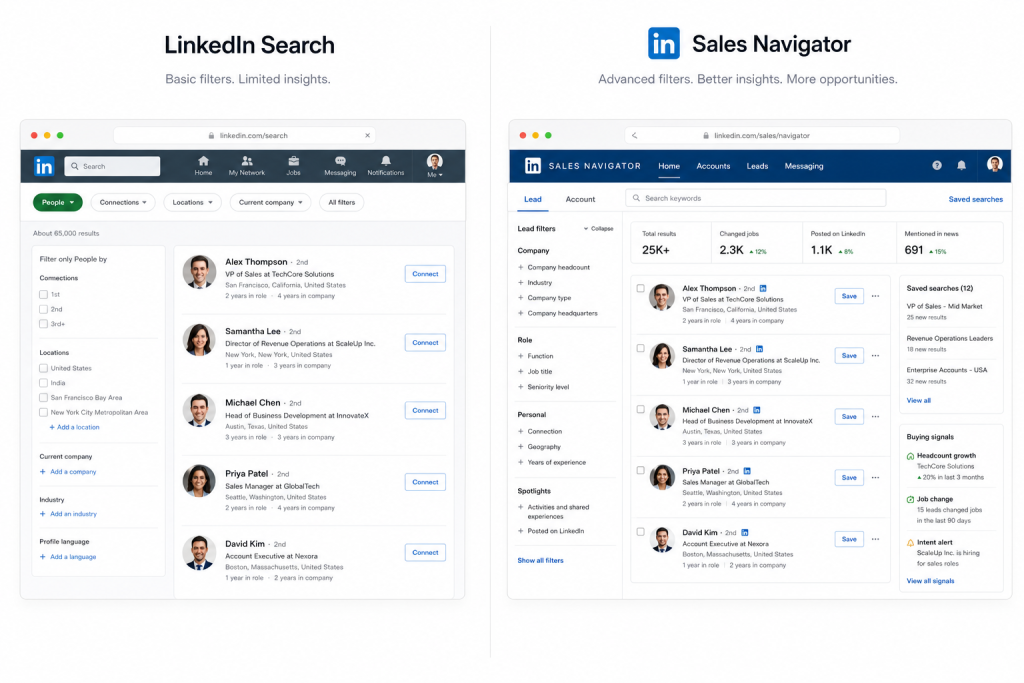
Free LinkedIn already lets you search by job title, company, and location, send connection requests, and message your existing network. So what does the Core plan buy you?
Search depth: Free search caps out at a handful of basic filters. Sales Navigator adds seniority level, function, company headcount growth, technologies used, and full-text keyword search inside a profile, which matters most for account-based targeting where job titles alone are unreliable.
Reach beyond your network: InMail credits let you message second- and third-degree connections without waiting for a connection request to be accepted. Free accounts can’t do this at all.
Visibility into buying signals: Job-change alerts, content alerts, and account-level news are built in. On free LinkedIn, you’d have to check manually.
Here’s the part most buyers get wrong: Sales Navigator does not raise your weekly connection request limit. That cap is reputation-based, tied to your account’s age, Social Selling Index score, and acceptance rate, and it applies whether you’re on Free, Premium, or Sales Navigator Advanced. LinkedIn doesn’t publish the exact numbers, but observed ranges from the sales-ops community put a well-aged account in good standing at roughly 100 to 200 requests a week, regardless of which LinkedIn plan it’s on; a flagged or brand-new account gets throttled regardless of how much you’re paying. If your bottleneck is connection volume, Sales Navigator won’t fix it. The fix is account health and pacing, not a bigger subscription, which is exactly the layer most teams skip when they upgrade.
Is Sales Navigator Worth It? It Depends on Three Things

Sales Navigator is a research and targeting tool, not an execution tool. It helps you find the right 50 people to message this week. It does not send those messages, pace them safely, rotate accounts when one gets close to its limit, or recover gracefully if LinkedIn flags suspicious activity under its own policies on automation and prohibited tools.
That gap is where most LinkedIn outreach programs run into trouble. A team upgrades to Sales Navigator, gets excited about the bigger lead list, and starts sending requests faster than their account’s reputation can support. Acceptance-rate benchmarks vary by data source: they come from individual outreach platforms with their own user bases, not from LinkedIn itself.
The ranges generally cited for 2026 put healthy B2B campaigns between roughly 30% and 45% when targeting and pacing are done right. Since most of these benchmarks come from agencies and platforms that also sell outreach services, treat the higher end of any cited range with some scepticism. Accounts that ignore pacing routinely fall well below 20%, which is where LinkedIn starts quietly cutting weekly sending capacity.
See it in action: See how Campaign Automation paces sends within safe daily limits →
This is the exact failure mode behind most LinkedIn restrictions. If you want the full breakdown of what actually triggers them, see Why LinkedIn Accounts Get Banned – And How Smart Sales Teams Avoid It in 2026.
This is the layer SendCopy.ai is built for.
Sales Navigator tells you who to contact. SendCopy handles the sending, with Auto-Rotate Senders to distribute volume across accounts, built-in LinkedIn Account Protection to keep pacing inside safe limits, and an AI-assisted sequence builder so messages don’t read like a template blast.
For agencies, this solves the multi-client problem Sales Navigator’s per-seat licensing creates: one workspace, multiple managed sender accounts, one unified inbox.
The Gap Sales Navigator Doesn’t Close
Sales Navigator is a research and targeting tool, not an execution tool. It helps you find the right 50 people to message this week. It does not send those messages, pace them safely, rotate accounts when one gets close to its limit, or recover gracefully if LinkedIn flags suspicious activity under its own policies on automation and prohibited tools.
That gap is where most LinkedIn outreach programs run into trouble. A team upgrades to Sales Navigator, gets excited about the bigger lead list, and starts sending connection requests faster than their account’s reputation can support. Acceptance-rate benchmarks vary by data source, since they come from individual outreach platforms with their own user bases rather than from LinkedIn itself, but the ranges generally cited for 2026 put healthy B2B campaigns between roughly 30% and 45% when targeting and pacing are done right. Accounts that ignore pacing and personalization routinely fall well below that, into territory where LinkedIn starts quietly cutting weekly sending capacity.
This is also the exact failure mode behind most LinkedIn restrictions. If you want the full breakdown of what actually triggers them, see Why LinkedIn Accounts Get Banned – And How Smart Sales Teams Avoid It in 2026.
This is the layer SendCopy.ai is built for. Sales Navigator tells you who to contact; SendCopy handles the sending, with Auto-Rotate Senders to distribute volume across accounts, built-in LinkedIn Account Protection to keep pacing inside safe limits, and an AI-assisted sequence builder so messages don’t read like a template blast. For agencies specifically, this solves the multi-client problem Sales Navigator’s per-seat licensing creates: one workspace, multiple managed sender accounts, one unified inbox.
LinkedIn Sales Navigator Alternatives, and What They Actually Replace
Before shopping for a replacement, it helps to be clear on what you’re trying to replace. “Sales Navigator alternative” usually means one of three different things, and they’re not interchangeable.
If you’re looking for a cheaper way to find contact data, tools in that category (often paired with enrichment platforms) can pull verified emails and phone numbers that Sales Navigator doesn’t provide at all, since LinkedIn never surfaces contact info beyond what’s on a public profile.
If you’re looking for better targeting filters, Sales Navigator’s 40-plus filters sit directly on LinkedIn’s own data graph, including company headcount growth and in-profile keyword search, neither of which third-party scraping tools can fully replicate since they depend on LinkedIn’s own indexing.
If you’re looking for a way to actually run safe, scaled outreach once you’ve found your list, that’s the layer SendCopy fills: not a replacement for Sales Navigator’s search and lead intelligence, but the safety and execution layer that turns a target list into booked meetings without putting the account at risk.
Frequently Asked Questions
What does LinkedIn Sales Navigator do that free LinkedIn can’t?
It adds 40-plus advanced search filters, InMail credits to message people outside your network, real-time alerts on saved leads, and CRM-embedded views on higher tiers. It does not increase your weekly connection request limit, which is tied to account reputation, not subscription tier.
How much does LinkedIn Sales Navigator cost in 2026?
Core is $119.99 a month ($1,079.88 a year, billed annually). Advanced is $159.99 a month ($1,799.88 a year billed annually). Advanced Plus is custom-priced, generally starting around $1,300 to $1,600 per seat per year. Prices are in USD; UK and Australian accounts are billed in local currency with VAT or GST added at checkout.
Is Sales Navigator worth it for a small sales team?
Usually, yes for individual sellers and small teams selling deals above roughly $5,000 in value, where the time saved on targeted search outweighs the monthly cost. It’s a harder case for agencies managing many client accounts under one license structure, since pricing is per seat with no native multi-client separation.
Does Sales Navigator help with LinkedIn outreach automation?
No. Sales Navigator is a search and lead intelligence tool. It doesn’t send messages on your behalf, manage sending pace, or rotate sender accounts. Teams that need that layer typically pair Sales Navigator with a dedicated outreach platform built for account safety.
Can I use Sales Navigator and SendCopy together?
Yes, and that’s the intended setup rather than a workaround. Use Sales Navigator’s search and Lead Finder to build your target list, then run the actual outreach through SendCopy, which paces sends, rotates sender accounts, and protects the account health Sales Navigator’s filters depend on for future searches.
What’s a good LinkedIn connection request acceptance rate in 2026?
Most sourced benchmarks put healthy B2B campaigns between 30% and 45%, though the exact figure shifts depending on which platform’s data the benchmark is drawn from. Below 20% is a signal that LinkedIn’s algorithm may already be reducing your sending capacity, regardless of which LinkedIn plan you’re on.
Final Thoughts
Sales Navigator earns its price tag if your team needs deeper search, InMail reach, or buying-signal alerts, and if you’re disciplined enough to act on what it surfaces. It does not solve outreach execution, account safety, or multi-client management, and assuming it will is the most common reason teams pay for Sales Navigator and still don’t see pipeline move.
If you’ve already got the targeting sorted and need the safe, scalable layer to run the outreach, that’s exactly what SendCopy.ai was built for.
Not ready to commit? Schedule a 15-Minute Demo, and we’ll walk through how Auto-Rotate Senders and Account Protection keep your outreach safe at scale.