


Trusted by sales teams, agencies & founders
Outreach Is Working.
Multiple senders, multiple conversations, one overwhelmed inbox — here's what that actually looks like day to day.
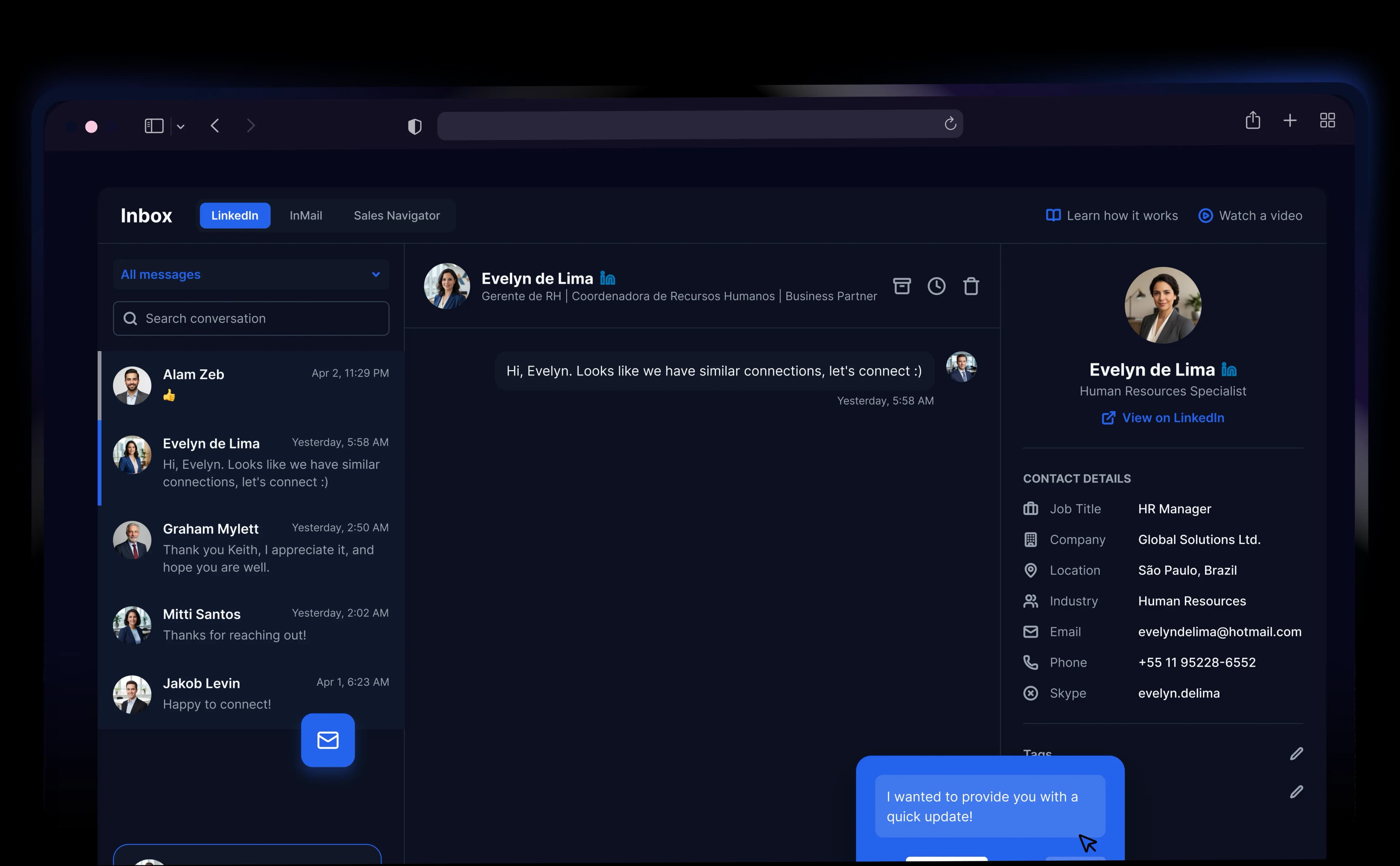
“Manage scattered replies across multiple LinkedIn accounts from one organized place.”
“Prevent duplicate outreach and confusion when multiple team members reply to the same prospect”
“ Save time every morning by checking all your LinkedIn replies in one streamlined workflow.”
“Keep important prospect replies visible so you never miss a critical sales opportunity.”
One Inbox That Actually
A fast email verifier and email checker built for modern marketing teams
 2m
2mSarah K.
Sounds good, let's connect on LinkedIn.
 14m
14mMarcus T.
Can you review the proposal deck before tomorrow?
 1h
1hAlex R.
I sent the updated spec - please take a look.
 3h
3hJordan L.
Meeting moved to 2 PM - calendar updated.
 1d
1dElena P.
Sent the invoice - please confirm receipt.
 2d
2dDaniel K.
Follow-up on the design system tokens.
All Senders, One View
Every conversation from every connected LinkedIn account appears in a single list. No tab switching. Nothing falls through.
Connection Request
Follow-up Message
Hi Alex, wanted to follow up on our previous connection...
InMail
Reminder
Reply on Behalf of Any Sender
One inbox manager handles replies across the whole team. The prospect never sees the handoff.
Timeline
Connection Request
Day 1
Follow-up
Day 3
InMail
Day 5
Follow-up
PausedDay 7
Latest reply

Alex R.
RepliedYes, sounds great - let's talk this week.
Campaign stopped automatically
Campaign Pauses When Someone Replies
The moment a prospect replies, their campaign stops automatically. No follow-up sent after they've already said yes.
Sarah Reynolds
VP of Sales · Acme Corp
Met at SaaStr. Interested in Q3 rollout. Ping after June 15.
Lead Tags, Notes and Filters
Tag leads by stage, add notes for context, filter by sender or campaign. Find any conversation in seconds.
Templates
Intro Outreach
Shared
Follow-up #1
Shared
Meeting Request
Mine
Demo Invite
Mine
Follow-up #1
SharedHi {{first_name}}, I came across your profile and noticed you're leading growth at {{company}}. We've been helping companies in your space book more qualified meetings on LinkedIn — thought it might be relevant. Would a quick 15-min call this week make sense?
Message Templates Inside the Inbox
Save your best replies and share them with the team. Everyone responds with the same speed and quality.
Sarah Chen
Via Alex · LinkedIn
Hi Sarah — noticed you're scaling growth at NovaCorp. Open to a quick chat this week?
Sounds good, let's connect. What times work for you?
Prospect Details
Sarah Chen
Hot Lead- VP of Growth
- NovaCorp
- San Francisco, CA
Campaign History
Connection Request
Q2 Launch · Day 1
Follow-up Message
Q2 Launch · Day 3
InMail Sent
Q2 Launch · Day 5
Reply Received
Today · 2m ago
Prospect Details Inside the Conversation
See the prospect's job title, company, location and campaign history right next to the message, before you type a word.
One Inbox,
Whether you're managing clients, managing a team, or managing everything yourself, here's what changes
Agencies That Run More. Manage LessTrusted by Agencies Managing
Outcomes from agency owners and account managers who switched their client outreach to SendCopy.
We were managing outreach for 9 clients across 9 LinkedIn accounts. Replies were coming in everywhere and nobody had the full picture. The unified inbox fixed that in one afternoon.
Michael Brennan
Agency Owner

Six reps sending outreach, six different inboxes to check. Now one person on our team handles every reply without logging into a single rep's account. The handoff is invisible to the prospect.
Yuki Tanaka
Sales Team Lead
I was switching between four LinkedIn tabs every morning just to see if anyone had replied overnight. Now I open one screen and everything is there. Sounds small, but it changed my whole morning.
Rachel O'Brien
Founder
A prospect said yes to a call and the message got buried in a separate account inbox. By the time we found it they had moved on. That has not happened once since we switched to one inbox.
David Osei
Business Development Manager
Two of my team members replied to the same prospect on the same day. The prospect thought we were disorganised and the deal went cold. One shared inbox and that problem does not exist anymore.
Natasha Ivanova
Head of Outreach
The campaign pausing automatically when someone replies was the feature I didn't know I needed. No more awkward follow-up landing on top of a conversation that was already going well.
Ben Cartwright
SDR Manager
We reply on behalf of our clients' LinkedIn accounts directly from the inbox. The prospect gets a fast, professional response and never knows it came from our team rather than the client themselves.
Amara Diallo
Co-Founder
The lead notes feature is underrated. Whoever picks up the conversation next already knows the context — what was said, where things stand, what the next step is. No more briefing people verbally before they reply.
Chris Hallett
Account Executive
Filtering conversations by campaign or sender sounds like a small thing until you're managing 8 active campaigns at once. Finding the right conversation used to take minutes. Now it takes seconds.
Sophie Marchand
Digital Marketing Director
I run outreach for myself and two clients from one inbox. Before this I had three browser windows open at all times. Now I check one place in the morning, handle everything, and get back to the actual work.
Omar Khalid
Founder
We were managing outreach for 9 clients across 9 LinkedIn accounts. Replies were coming in everywhere and nobody had the full picture. The unified inbox fixed that in one afternoon.
Michael Brennan
Agency Owner
Six reps sending outreach, six different inboxes to check. Now one person on our team handles every reply without logging into a single rep's account. The handoff is invisible to the prospect.
Yuki Tanaka
Sales Team Lead
I was switching between four LinkedIn tabs every morning just to see if anyone had replied overnight. Now I open one screen and everything is there. Sounds small, but it changed my whole morning.
Rachel O'Brien
Founder
A prospect said yes to a call and the message got buried in a separate account inbox. By the time we found it they had moved on. That has not happened once since we switched to one inbox.
David Osei
Business Development Manager
Two of my team members replied to the same prospect on the same day. The prospect thought we were disorganised and the deal went cold. One shared inbox and that problem does not exist anymore.
Natasha Ivanova
Head of Outreach
The campaign pausing automatically when someone replies was the feature I didn't know I needed. No more awkward follow-up landing on top of a conversation that was already going well.
Ben Cartwright
SDR Manager
We reply on behalf of our clients' LinkedIn accounts directly from the inbox. The prospect gets a fast, professional response and never knows it came from our team rather than the client themselves.
Amara Diallo
Co-Founder
The lead notes feature is underrated. Whoever picks up the conversation next already knows the context — what was said, where things stand, what the next step is. No more briefing people verbally before they reply.
Chris Hallett
Account Executive
Filtering conversations by campaign or sender sounds like a small thing until you're managing 8 active campaigns at once. Finding the right conversation used to take minutes. Now it takes seconds.
Sophie Marchand
Digital Marketing Director
I run outreach for myself and two clients from one inbox. Before this I had three browser windows open at all times. Now I check one place in the morning, handle everything, and get back to the actual work.
Omar Khalid
Founder
Built to Do More,
Same goal, different approach. Here's where SendCopy stands next to the tools you've probably already looked at.
| Capability | SendCopy.ai | MeetAlfred | HeyReach | Expandi | Waalaxy |
|---|---|---|---|---|---|
| All senders in one inbox | |||||
| Reply on behalf of any sender | |||||
| Campaign auto-pause on reply | |||||
| Lead tags and notes | |||||
| Message templates inside inbox | |||||
| Included in base plan | |||||
| Works with Sales Navigator & InMail |
Frequently Asked
One inbox. Every reply.
Set up in minutes. Works across every sender on your team.